
Coding Toy Recommendations (Not Just for Kids)
From a family of coders

I enjoy giving my kids gifts that are both fun and educational, boosting their knowledge in various areas.
I especially love coding toys and games for multiple reasons.
The first reason? I have fun with these too. This is an aspect that moms may want to suppress to avoid feeling selfish. (Originally, I planned to write parents, but, according to my husband, dads don’t share this fear of being selfish. Do you agree?) However, I think it is so much better when we genuinely enjoy an activity with our kids.
So if Mom or Dad is into programming, go for a gadget that makes you both happy.
Another reason is that logical thinking will always be useful. You may think that with AI assistants, you don’t need it anymore, but that’s not the case. AI is more like your very diligent, well-read classmate who is eager enough to impress you to make up arguments and facts. You have to be smart to spot inconsistencies and nonsense. I don’t foresee the value of logical thinking going out of style anytime soon.
And lastly, establishing programming skills. Who knows, maybe your kid will want to pursue a career in computer science, so why not learn the basics at a young age while playing?
Computer programs can be insanely complex, but their essence is simple: you tell the computer to do simple tasks one after the other. If you ask for the right tasks, in the right order, with the right amount of repetitions and stopping conditions, you will develop amazing things. That’s how you do machine learning. That’s also how your kids can tell their robot to dance. Or to move, light up, make sound, or even solve a Rubik’s Cube.
Here are a few ideas for toys and games in a wide price range that boost coding skills and logical thinking. Not an ad, just a recommendation from a fellow mom. We use each one that I list here.
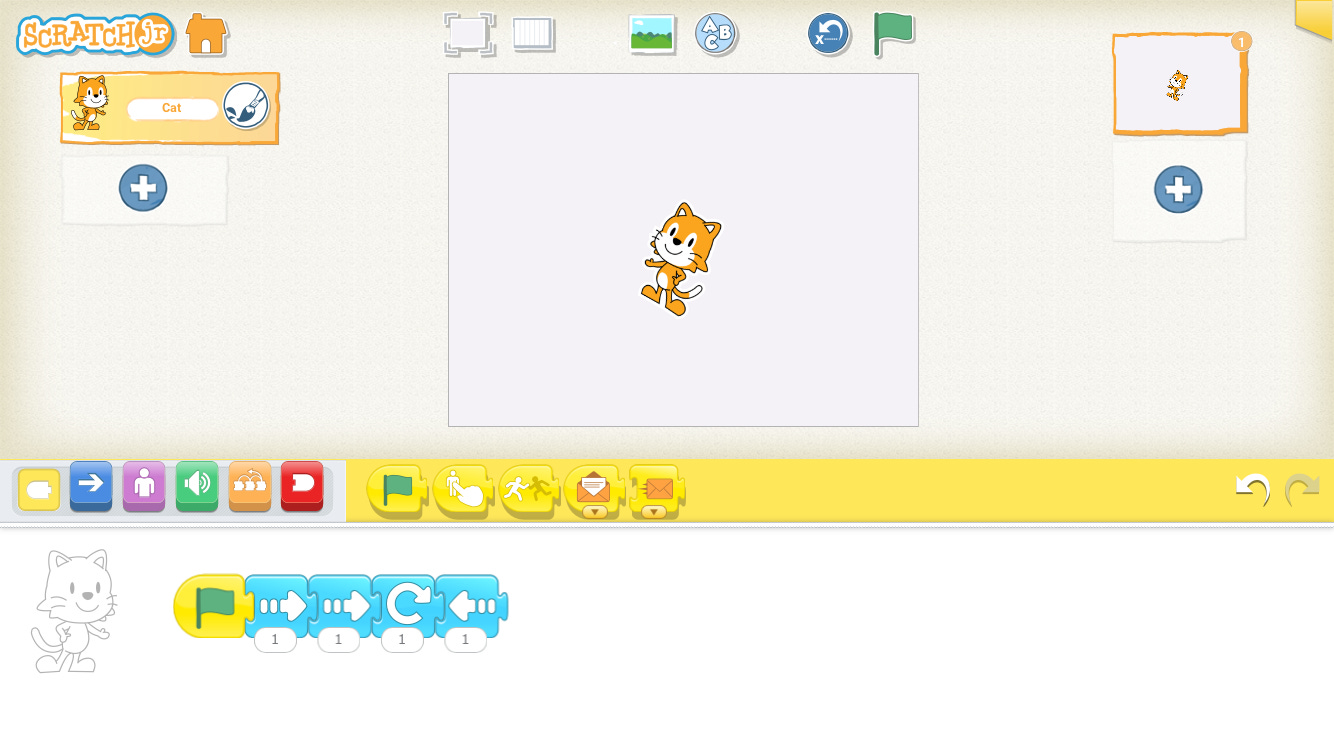
The free one: Scratch Junior is an app that lets your kid move cartoon objects around on the screen in programming style. Let’s say you have a drawing of a cat. Your kids can tell it to move up, then down, then rotate, and so on. When running the “code”, the drawing performs the routine, resulting in an animation. Great for creativity and thinking.
One in the medium price range: Botley 2.0. It does in real life what Scratch does on the screen. You give orders on the controller, and when you hit start, the pre-defined steps are executed. It is satisfying to see your code in live action, interacting with the real world by, for example, pushing blocks from place to place. Botley can teach your kids loops and conditional tasks as well, not only the basic one step after the other concept. Like making a detour when an obstacle is in the way on the original route. Cool, right?
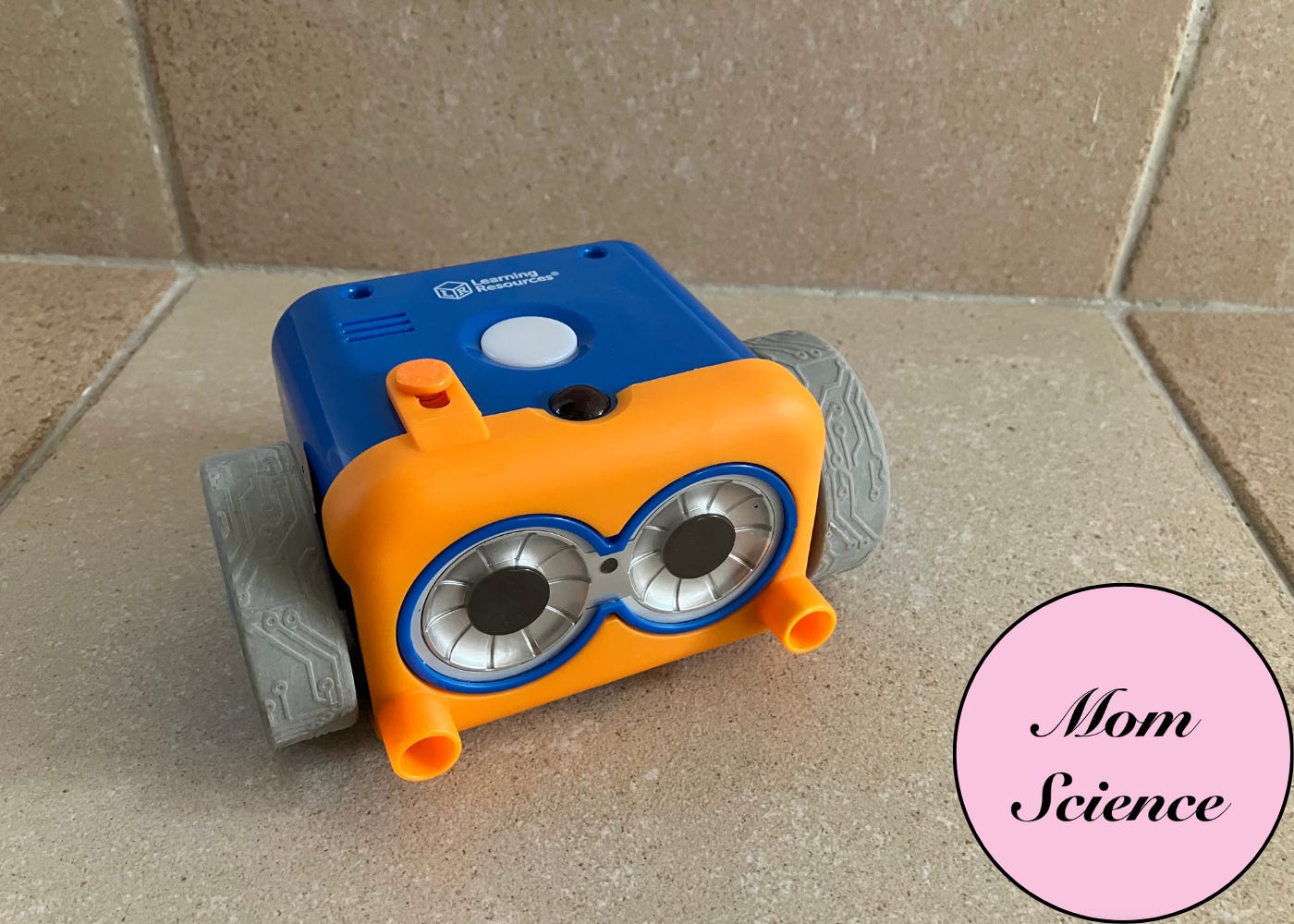
The downside to Botley is that you don’t see your code. You just push the buttons on the controller in the desired order and hit start. When your code gets more complicated, remembering exactly where you are can be tricky. However, this limitation is a feature: it forces your child to visualize the path mentally, putting their working memory to the test.
And finally, the pricey one, which also happens to be my personal favorite: the LEGO Spike sets. We use two versions, the Essential and Prime sets, both of which consist of four main parts.
The Bricks: Standard LEGO bricks with plenty of connection pieces, so your builds are ready to move.
The Inputs/Outputs: Unique pieces that detect surroundings (color, distance) or create movement, sound, and light.
The Hub: A tiny computer that powers the set and connects to your computer or tablet.
The App: Where you write the code. For simple programs, you can use icon blocks like arrows and rotation signs put after each other, which is great for smaller kids. Then you can switch to word blocks. These give you more options, but, of course, require your kid to read. And with the Prime set, you have the option to use Python computer code, which is what you need for the most advanced builds. This is generally for adults or older kids who already have experience in programming.
I even play with LEGO Prime by myself. The application has many units with step-by-step instructions on how to build and control them, but you can find amazing tutorials on YouTube as well. Like the Rubik’s Cube solver. Which is mesmerizing when it actually works.
Plus one: the Turing Tumble. A different concept. Completely mechanical, giving you a glimpse into how computers work on the deepest level.
Blue and red marbles represent the binary language of computers, consisting only of zeros and ones. Computer operations are brought to life by ramps, crossovers, and switches, which you can physically add into the path of the marbles to see the effect.
Fascinating and kind of old-school.
If you are still looking for a good educational gift for your kids, consider these coding ones. Keep in mind that kids will need guidance, at least to get started. They might become independent quickly, but you will need to explain the concept, read the manuals, or, in the case of the LEGO sets, install the app and pair the device.
Also, don’t go for the most expensive one immediately. See if your kid actually enjoys coding games first.
Unless you are like me and would enjoy it yourself anyway.